
A smart home should feel like a good home first and a clever home second. The lights come on before you reach for a switch. The house is warm when you walk in from the cold and cool on a sticky August evening. Music follows you from the kitchen to the living room without a speaker staring back at you from every shelf. Nothing asks you to open an app to do something a light switch used to do in half a second.
That is the test for every idea in this guide. If a device makes daily life smoother, quieter, or more comfortable, it earns its place. If it only adds another screen, another password, or another thing to troubleshoot, it stays out. The goal here is a whole house that works as one system, planned room by room, with the technology tucked into the design rather than pasted on top of it.
Smart home design has moved past the gadget phase. Statista Market Forecast (2026) projects global smart home household penetration at 82.1 percent in 2026, and Parks Associates (2026) reports that 45 percent of US internet households now own at least one smart home device (excluding smart speakers and displays). In other words, the question is no longer whether to add technology. The question is how to add it so the house still feels like a home.
What Seamless Really Means
Seamless does not mean invisible. It means nothing gets in the way. A visitor should be able to turn on a light, lock a door, or adjust the temperature without a lesson. A guest bedroom should work with the same simple switch a guest has used for decades. When technology demands attention every time it is used, the design has failed, no matter how advanced the device is.
Start by listing the routines the house already has. Morning wake-up, leaving for work, coming home, cooking dinner, winding down, going to bed, leaving for a weekend. Each routine touches several rooms at once. A good smart home design serves the routine, not the room. The hallway light, the thermostat, and the front door lock all belong to the same “leaving the house” moment, even though they sit in different parts of the floor plan.
Think in scenes rather than devices. A scene is one command that sets several things at once: lights dim to a warm glow, shades lower, the thermostat eases down a degree, the doors lock. Scenes are where a smart home stops feeling like a collection of gadgets and starts feeling like a house that understands the day. Plan five or six scenes that match real routines, then buy the devices those scenes need. Buying devices first and inventing scenes later is the most common way to end up with a drawer full of gadgets nobody uses.
Choose One System Before You Buy Anything
Every smart home needs a brain, and the cheapest mistake is buying devices that cannot talk to each other. Before the first purchase, pick one main platform: Apple Home, Google Home, Amazon Alexa, Samsung SmartThings, or a local-first system such as Home Assistant. The platform decides which devices work together, which voice assistant answers, and how scenes are built. Switching platforms later means rebuilding scenes and sometimes replacing hardware.
Matter is the standard that makes this choice less risky than it used to be. Matter is an application-layer standard published by the Connectivity Standards Alliance, with version 1.0 released in October 2022. A device carrying the Matter logo is designed to work across Apple Home, Google Home, Amazon Alexa, and SmartThings. Matter runs over Wi-Fi, Ethernet, or Thread, a low-power mesh radio for battery devices such as sensors and locks. The Connectivity Standards Alliance announced Matter 1.6 in June 2026, continuing the same direction: more device types, simpler setup, less lock-in.
Matter is not magic. A Matter logo does not guarantee that every feature of a device works in every platform, and some advanced features still live only in the maker’s own app. Still, for a whole-house plan, preferring Matter-certified devices is the simplest way to keep options open. A house full of devices that only work with one brand’s app is a house that breaks when that brand changes direction.
Zigbee and Z-Wave still matter too. Zigbee has been used in smart home devices for many years and still has a wide device range. Z-Wave is common in North American security and lighting gear. Both reach a Matter-based home through a hub that bridges them. If a home already has Zigbee or Z-Wave devices that work well, keep them behind a compatible hub and add Matter devices for anything new.
One hub per home is usually enough for a starter system, placed near the center of the house and close to the router. Larger homes may need a second hub or a Thread border router on another floor so battery sensors at the far end of the house stay connected. A Thread border router is built into many current smart speakers and displays, so check what is already in the house before buying a separate one.
Lighting That Follows the Day
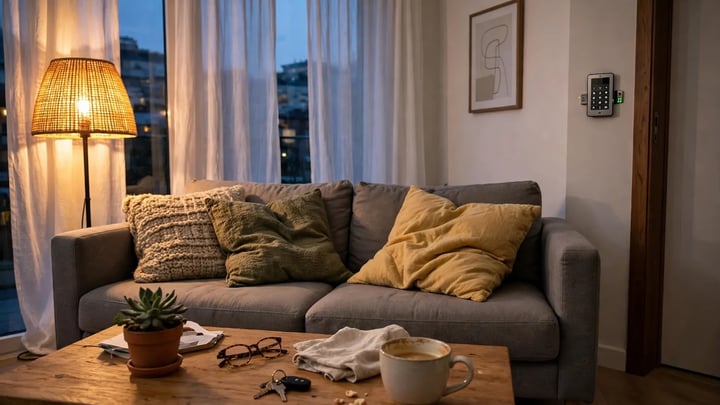
Lighting is the best place to start a whole-house smart plan. It touches every room, it changes how the house feels more than any other single upgrade, and it is the system guests notice first. Smart lighting done well is almost boring to describe: the lights are simply right, at the right brightness, at the right time.
Warm white light, around 2700 to 3000K, suits living rooms, bedrooms, and dining rooms in the evening. It flatters wood, fabric, and skin, and it helps a room feel settled after dark. Cooler, brighter light suits a kitchen worktop or a home office desk in the morning. The point of smart lighting is not to own sixteen million colors. It is to shift between two or three useful whites without thinking about it.
There is something calming about walking into a hallway that is already lit at a low glow in the evening, instead of fumbling for a switch in the dark. That small moment, repeated every night, is what smart lighting is actually for. The house feels tended, not automated. The same logic applies at bedtime, when a single command can dim every light in the house in stages, so the last room you leave is never suddenly black.
Smart switches beat smart bulbs in most rooms. A smart switch controls the whole fixture, works from the wall like any normal switch, and keeps working when the Wi-Fi drops. Smart bulbs make sense where color or individual control matters, such as a reading lamp or a child’s room, or in a rental where the switches cannot be changed. In a rental, bulbs and plug-in devices are the whole strategy, since nothing can be wired in.
Plan lighting in zones, not per bulb. A living room might have three zones: overhead, reading lamps, and accent light on a shelf or art. A kitchen might have task light over the counters, general ceiling light, and a low glow for late-night trips to the fridge. Zones let a scene set the mood of a room in one move, instead of adjusting six separate bulbs.
A common mistake is automating every light in the house on the first weekend. Start with the rooms used most after dark: the entry, the kitchen, and the living room. Live with those for a few weeks. The routines that feel natural will show themselves, and the rooms that do not need automation will stay obvious. Adding devices slowly also keeps the budget sane.
For ideas on how light shapes a room beyond brightness, see the guide to “home office lighting ideas“, which covers task light, glare, and placement in detail. The principles there, light at the right height, aimed at the work and not at the eyes, apply in kitchens and reading corners too.
Climate, Room by Room
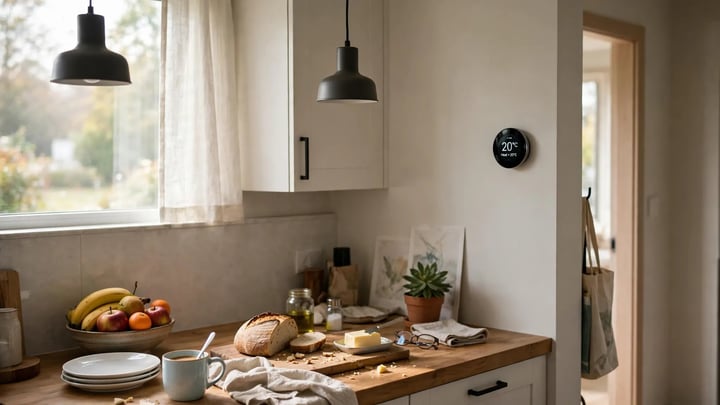
Heating and cooling decide whether a house feels comfortable, and they decide a large share of the energy bill. A smart thermostat is the single smart device with the clearest published savings figure. ENERGY STAR, the US Environmental Protection Agency program, states that certified smart thermostats save about 8 percent of heating and cooling bills on average, or roughly 50 dollars a year. The US Department of Energy adds that turning the thermostat back 7 to 10 degrees Fahrenheit (about 4 to 6 degrees Celsius) from its normal setting for 8 hours a day can save as much as 10 percent a year on heating and cooling.
Those numbers are modest, and that honesty matters. A thermostat does not create energy savings out of thin air. It earns them by lowering the temperature while everyone sleeps or is out, and by learning when the house is actually occupied. A home that already runs a careful schedule will save less than a home where the heat ran all day in an empty house. The comfort gain is often worth more than the dollar figure: the house is warm before the alarm goes off, and nobody has to remember to turn the heat down before a weekend away.
Zoning is where climate control becomes whole-house design. A single thermostat cannot fix a house where the upstairs bedrooms bake in summer while the ground floor stays cool. Room sensors, which many thermostat makers now sell, let the system heat or cool based on the room people are actually in. In larger homes, separate zones with their own controls solve the problem properly, though that usually needs a heating professional and is best planned during a renovation.
Keep the old controls usable. A thermostat that only works from a phone fails the first time a guest or a family member without the app wants to turn the heat up. Wall controls should always work by touch.
Humidity changes how temperature feels. Dry winter air makes a house feel colder at the same thermostat setting, and damp summer air makes it feel warmer. A thermostat that reports humidity, or a simple standalone sensor in the bedroom, helps explain why a room feels stuffy even when the temperature looks right.
Energy use is also a design choice, and the guide to “sustainable interior design ideas” covers materials, insulation thinking, and lower-energy habits that pair well with smart climate control. Technology saves the most energy in a house that is already reasonably sealed and shaded.
Security That Feels Calm, Not Watched
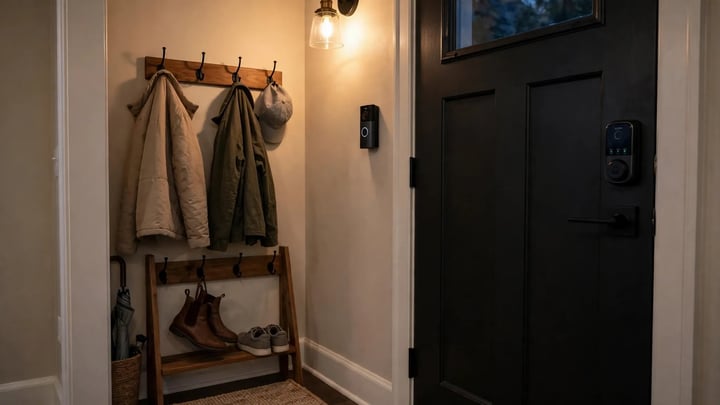
Security technology should lower stress, not raise it. The best smart security setup is one the household barely notices until it is needed: a door that locks itself at night, a camera that records only when something moves, a doorbell that shows who is at the door without anyone getting up.
Start at the front door. A smart lock with a keypad means no more hiding a spare key under a mat and no more rekeying locks when a key goes missing. Codes can be given to a dog walker or a cleaner and removed later. Keep a physical key as a backup, and keep the lock working from the keypad even when the internet is down. A lock that fails closed during a power cut is a problem, so check the backup power behavior before buying.
A video doorbell earns its place by answering two questions: who is there, and did a delivery arrive. Place it where it sees faces, not just the top of heads, and angle it away from a busy sidewalk so it does not record every passerby. Cameras inside the house are a different decision. Many households skip indoor cameras entirely, and that is a reasonable design choice. A home should feel private, and a camera in a living room changes how relaxed people feel in their own space.
Outdoor cameras work best when they are part of the lighting plan. A camera with a built-in light deters more than a camera alone, and a well-lit entry is welcoming rather than fortress-like. Position cameras to cover entry points and the driveway, not to watch the neighbors. Check local rules on recording audio and on camera placement facing shared spaces, since rules vary by state and municipality.
Where this usually goes wrong is notification overload. A system that sends an alert every time a tree moves or a cat crosses the yard trains the household to ignore alerts, which defeats the purpose. Set motion zones narrowly, lower sensitivity for areas with trees or traffic, and use person detection where the system offers it. Fewer, better alerts beat a constant stream of noise.
Voice, Screens, and Switches People Actually Use
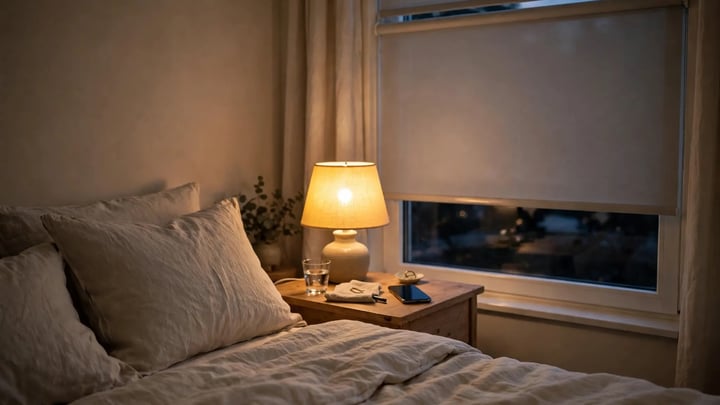
A smart home needs controls that every person in the house can use, including children, guests, and older relatives. Voice control is the most convenient option for many routines, but it should never be the only option. Every automated function should also work from a wall switch, a keypad, or a simple button.
Voice assistants suit hands-busy moments: cooking, carrying laundry, settling a child to sleep. A speaker in the kitchen and one in the main living area cover most of a home. A speaker in every room is rarely needed, and a speaker in a bedroom should have a clear mute button and a routine that keeps it quiet overnight. Privacy matters here. Households that are uncomfortable with always-listening microphones can skip voice control in bedrooms and use switches and schedules instead. That is a design decision, not a technical failure.
Wall-mounted control panels look impressive in photos and are often the least used device in the house. A small tablet or a dedicated keypad by the front door, showing the day’s scenes and the lock status, is genuinely useful. Before buying a panel, ask where hands naturally go: the light switch by the door, the phone in a pocket, the voice command while cooking. Controls should sit where people already are.
Hiding the Technology
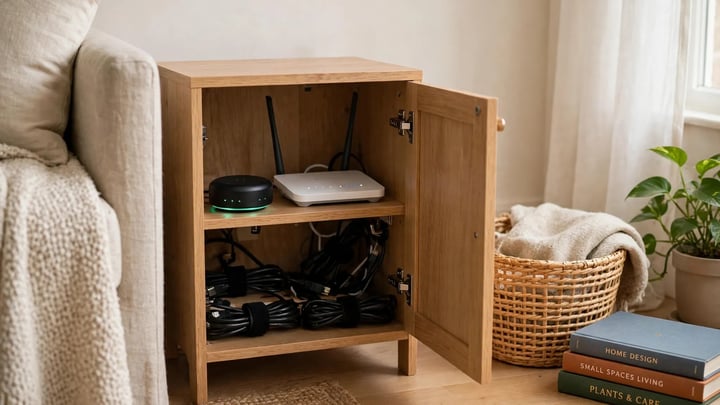
The most attractive smart homes hide the machinery. Speakers sit inside the ceiling or behind fabric panels. The hub lives in a media cabinet with ventilation, not on a hallway shelf with blinking lights. Cables run inside walls or behind trunking that matches the wall color. A router sits on a high shelf in a cupboard, not on the kitchen counter next to the fruit bowl.
In-ceiling speakers are the classic example. Music fills a room from above, with no black boxes on the shelves, and the sound feels like part of the room. They need wiring and a bit of planning, so they suit a new build or a renovation better than a finished room. For a retrofit, a single good wireless speaker on a shelf is the better trade.
Match finishes. A white plastic sensor on a dark wood wall draws the eye every time. Most sensors, switches, and thermostats come in two or three finishes, and choosing the one closest to the wall or trim color makes them recede.
Old houses have their own charm to protect. In a period home, surface-mounted trunking and bulky white switches can fight the architecture. The guide to “vintage home decor” shows how older pieces and modern style can share a room, and the same judgment applies to technology: choose slim keypads, brass or matte black finishes where they suit the house, and put the hub and the router out of sight. Technology should adapt to the house, not force the house to adapt to it.
The Network Underneath It All
Every smart device in this guide depends on one unglamorous thing: a reliable home network. A weak network turns a smart home into a frustrating one. Lights respond slowly, cameras drop offline, voice commands fail halfway. Before buying devices, fix the network.
A mesh Wi-Fi system is the usual answer for a typical family home. One main unit by the router and one satellite per floor, or per large open area, covers most houses up to about 2,000 sq ft (186 sq m) without fuss. Place satellites in the open, at about waist to chest height, not hidden inside a closed cabinet or behind a television. A satellite buried in a media unit is a satellite doing half its job.
Wired connections still beat wireless for the devices that matter most. A camera, a hub, a television, and a desktop computer all work better on an Ethernet cable than on Wi-Fi. In a new build or a major renovation, running Ethernet cable to the main rooms costs little while the walls are open and pays off for decades. The cost of adding the same cable after the walls are closed is several times higher, which is why builders and electricians repeat the same advice: wire it while you can.
Keep the smart home on its own network habits, not its own mystery. A separate Wi-Fi network name for smart devices is optional and can complicate setup. What matters more is a strong, unique password for the Wi-Fi, a separate password for the smart home accounts, and two-factor authentication wherever it is offered. The router firmware should be updated, and devices should be set to update automatically where possible, since an unpatched device is the easiest way into a home network.
Retrofit or New Build: What Changes
Retrofitting a finished home and planning a new build are different jobs with different budgets. A retrofit works with wireless devices, smart switches that fit existing boxes, battery sensors, and plug-in speakers. Nothing needs the walls opened. A new build can hide wiring, in-ceiling speakers, wired cameras, motorized shades, and keypads in the walls from the start.
The cost gap is wide, and it varies by region and material, so treat any figure as a starting point for local quotes. Angi’s 2026 Home Automation Cost Guide, as reported in 2026 installer roundups, puts a typical professionally installed whole-home system at about 5,500 dollars, with standard whole-home systems commonly ranging from about 5,500 to 15,000 dollars and wired or luxury systems from 15,000 dollars upward. A small starter setup, a hub, a thermostat, and a few lights, can cost a few hundred dollars when installed by the homeowner. The most expensive part of a retrofit is rarely the devices. It is the labor of adding wiring after the walls are closed.
For a retrofit, the sensible order is network first, then lighting, then climate, then security, then the extras such as shades and audio. Each layer should work on its own before the next one is added. For a new build, the order flips: decide the wiring and the hub location during design, before drywall, then choose devices later, since devices improve every year and wiring does not.
Privacy and Life When the Internet Drops
A smart home collects information about when people are home, when they sleep, and when they leave. That is worth a deliberate decision, not a shrug. Read the privacy policy of the main platform before committing, and prefer devices that process commands locally where possible. Local processing means a light switch still works when the broadband goes down, and it means less household data leaves the house.
Plan for outages. The house should still work as a house when the internet fails: lights from switches, heat from the thermostat on the wall, doors from keys and keypads, shades by hand. Test this once, by unplugging the router for an evening. The things that stop working are the things that need a manual backup. A smart home that becomes unusable during a broadband outage was designed around the cloud instead of around the people living in it.
A Sensible Order to Buy In
A whole-house plan is easier to follow as a sequence than as a shopping list. The order below assumes a typical family home and a moderate budget. Skip any step the house does not need, and pause between steps to live with what is already installed.
First, fix the network and pick the platform. A mesh system and one hub, chosen with Matter compatibility in mind, are the foundation everything else stands on. Second, automate the lighting in the entry, kitchen, and living room with smart switches and a few scenes. Third, add the thermostat and room sensors, and let the heating schedule settle for a month before judging the savings. Fourth, secure the front door with a smart lock and a doorbell, and set motion zones narrowly so alerts stay meaningful. Fifth, add the extras that match the household: motorized shades for a sunny living room, in-ceiling or wireless audio for the main living areas, leak sensors under sinks and by the water heater.
Leak sensors deserve a special mention because they prevent the most expensive smart home failure of all: water damage discovered too late. A small battery sensor under a kitchen sink, behind a washing machine, and near the water heater costs little and can alert the household before a slow leak becomes a ruined floor. It is the least glamorous device in this guide and one of the most useful.
Between each step, check one thing: does everyone in the house use it without asking for help. If a device only works for the person who installed it, it is not finished. Simplify it, move its control to a switch, or replace it with a simpler model. A smart home is finished when it feels ordinary, and ordinary is the highest praise this kind of design can earn.
What to Avoid
The traps in smart home design are predictable, and most of them come from buying too much too fast. A house with forty devices and no scenes is less smart than a house with ten devices and five good scenes.
Over-automation is the quietest trap. A bathroom light that turns off while someone is still in the shower, a hallway that goes dark during a slow evening walk to the kitchen, a bedroom shade that opens at sunrise on a Saturday: each of these is a small daily irritation that adds up to a household that stops trusting the system. Automations should have generous timeouts and easy overrides. A light that stays on a few minutes too long is a minor waste. A light that turns off on a person is a daily annoyance.
The second trap is buying for a future home instead of the present one. Technology changes fast, and a device bought today for a renovation planned in two years will be outdated before it is installed. Buy for the house as it is now, choose devices that follow open standards such as Matter so they keep working as platforms change, and leave the wiring and the hub location flexible for whatever comes next.
Trends come and go, and the guide to “45 interior design trends for 2026 whats in and whats out” is a useful check before committing to a look that depends on a single year’s fashion. Technology ages faster than furniture, so the design around it should be calm and neutral. A room painted a quiet, lasting color will still suit the house when the hub has been replaced twice.
Conclusion
A seamless smart home is not the house with the most devices. It is the house where the technology disappears into the routines of the day: lights that are already right, a temperature that suits the hour, a door that locks itself at night, music that plays without a ceremony. The planning matters more than the purchasing. One platform, a strong network, lighting and climate first, security that stays calm, and controls that everyone can use.
Start small, live with each layer, and let the house teach you what it needs next. The result is a home that feels considered rather than crowded, and that is a design result worth more than any single gadget.
Light and mood are linked, so if the evenings feel flat, our guide to dopamine decor explores color and light choices that lift a room.
Nature and calm belong in the same conversation as technology, and our guide to biophilic interior design covers bringing plants and natural light into every room.






Leave a Reply
You must be logged in to post a comment.