
Bad lighting makes a home office feel like a chore. Eyes tire by mid-afternoon, the screen glares, and the room feels either flat and grey or harsh and clinical. Good lighting does the opposite. It is the cheapest upgrade most home offices can get, and it changes how long you can focus without feeling drained.
This guide covers the full setup: daylight, the three layers of artificial light, the right brightness and color temperature for desk work, glare control, video-call lighting, and what to do when your office has no window at all.
Why Lighting Changes How Well You Work
Light affects work through comfort, not magic. When the desk is too dim, your eyes work harder to read text. When a bare bulb sits in your line of sight, you squint and tense up. When the room behind the screen is dark, your eyes keep adjusting between the bright monitor and the gloom around it. Fix those three problems and most people can work longer with less fatigue.
Color temperature plays a supporting role. Cooler, whiter light tends to feel more alerting, while warm light feels relaxing. That is why the same 2700K bulb that feels cozy in a bedroom can feel sleepy over a desk at 2 p.m. The research on whether a specific color temperature directly raises output is mixed, so treat color as a comfort tool, not a performance drug. Brightness and glare matter more.
Layer Your Light in Three Parts
A single ceiling light cannot do this job alone. It lights the top of your head, leaves the desk in shadow, and creates the classic setup of a glowing screen in a dim room. A layered setup uses three kinds of light, each with its own job.
Ambient light: the base layer
Ambient light is the general illumination of the room. It fills in shadows, keeps the walls from going dark, and stops the screen from being the brightest thing in your field of view. A diffused ceiling fixture, a floor lamp with a fabric shade, or wall lights all work. The key word is diffused. A bare bulb or an exposed LED panel creates hot spots and glare, so choose fixtures with a shade, a frosted cover, or a diffuser.
Keep ambient light softer and warmer than the desk light. Around 3000K works well for the room as a whole, and a dimmer lets you raise it on a grey afternoon and lower it in the evening.
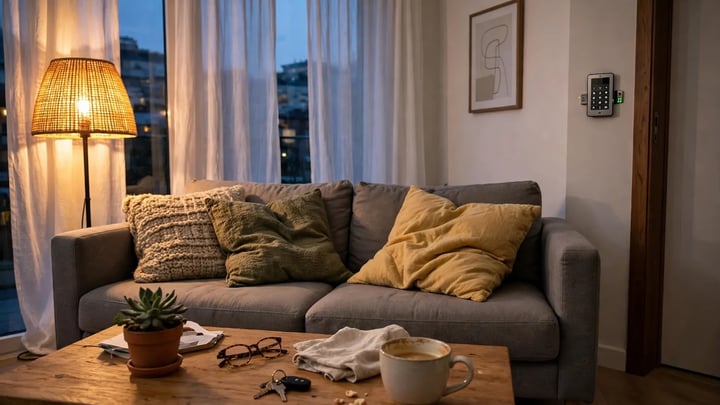
In the evening that soft layer changes the whole mood of the room. The walls stop looking grey and flat, the corners feel less empty, and the space starts to feel like a room you can sit in rather than a box you work in. Most people notice it in their shoulders first. The tension of the day eases a little when the light stops glaring and starts glowing.
Task light: the work layer

Task light is focused light aimed at the desk surface, where you read, write, and type. This is the layer that does the most for productivity, and it is usually a desk lamp or a pendant hung over the desk. It should be brighter and cooler than the ambient layer, around 4000K, and it should be adjustable so you can aim it at the work instead of at your eyes or your screen.
Accent light: the depth layer
Accent light adds depth and makes the room feel finished rather than like a cubicle. A small lamp on a shelf, a picture light over framed art, or an LED strip behind a bookcase all count. Accent light is optional, but in a room you sit in for eight hours, it is what keeps the space from feeling flat. Keep it warm and dim, and never let it reflect in the screen.
Start With Daylight
Daylight is the best light a home office can have, and it costs nothing. It is bright, it changes through the day in a way that keeps you alert, and it renders color better than any bulb. The trick is placement.
Put the window to your side

The best desk position is usually with the window to your left or right, not in front of you and not behind you. A window behind the screen throws glare across it. A window behind you throws your shadow onto the desk and turns you into a silhouette on video calls. Side light gives you the brightness without either problem.
Morning light from the side has a particular feel to it. It wakes the room up slowly, catches the edge of the desk, and makes the first hour of work feel lighter. You can feel the difference on a grey morning too. Without that side light the room stays dim and heavy, and the day starts feeling long before it has really begun.
If the room layout forces the desk to face the window, a sheer curtain or a light-filtering blind softens the direct sun. If the desk must back onto the window, a blackout blind behind you helps on calls, though it wastes the daylight for the rest of the day.
Manage direct sun
Direct sun on the desk is a glare problem, not a gift. It heats the work surface, washes out the screen, and creates hard shadows. Sheer white curtains, a solar shade, or a blind angled to bounce light toward the ceiling all tame it. A matte desk surface helps too.
How Bright Should Your Desk Be?
Brightness is where most home offices go wrong, usually by being too dim. A room that feels fine for watching television is often too dark for reading paper documents for hours.
Workplace guidance commonly puts desk work at about 300 to 500 lux at the desk surface, with the surrounding room around 300 lux. European workplace standard EN 12464-1 recommends 500 lux for writing, typing, and reading. Australian and New Zealand guidance lists 320 to 400 lux for routine office tasks. These are workplace benchmarks. They still give a concrete target for a home desk. The 300 to 500 lux range is a planning range drawn from those workplace standards, not a figure measured in a home office.
Bulb packaging shows lumens, not lux, and lux is what reaches the surface. As a starting point, a desk lamp of roughly 800 to 1,500 lumens covers most desks, and a small room of about 100 square feet typically needs 1,500 to 3,000 total lumens across its fixtures. Dark walls and dark furniture absorb more light, so a room with walnut shelving and charcoal paint needs more lumens than a white room of the same size.
A phone light-meter app gives a rough reading if you want to check your own desk. Hold the phone flat on the desk surface with the sensor facing up. The reading is only a rough guide, yet it tells you whether you are at 150 lux or 450 lux, and that gap is the one that matters.
Watch the contrast, not just the brightness
A bright desk in a dark room is almost as tiring as a dim desk. Your eyes adapt back and forth between the lit paper and the dark walls, and that constant adjustment causes fatigue. Keep the room lit to at least half the brightness of the desk. If the desk reads 400 lux, the walls and the rest of the room should read roughly 200 lux or more. That is the real reason ambient light matters: it closes the gap between the desk and everything around it.
Choose the Right Color Temperature
Color temperature is measured in Kelvin (K). Lower numbers look warm and yellow. Higher numbers look cool and blue-white. The names on bulb boxes vary between brands, so always read the Kelvin number rather than trusting words like “daylight” or “cool white.”
| Color temperature | What it looks like | Best use in a home office |
|---|---|---|
| 2700K to 3000K | Warm, yellow-white | Ambient and accent light, evening wind-down |
| 3500K to 4000K | Neutral to cool white | Desk task light, the best all-round choice |
| 5000K to 6500K | Bright, blue-white | Short bursts of detailed work; can feel harsh all day |
For most people, 4000K over the desk is the sweet spot. It is crisp enough to keep text sharp and to feel alert, without the cold, clinical feel that 5000K and above can bring to a small room. Keep the rest of the room at 3000K so the space still feels like a home and not a laboratory.
By late afternoon the wrong temperature shows itself in how you feel. Warm light over the desk at 2 p.m. can make your eyelids heavy and your thoughts slow, as if the room itself were winding down for the night. Cooler light at the desk keeps the air feeling fresher and your focus sharper, and then the warmer room light in the evening tells your body the workday is over.
A common mistake is mixing temperatures at random: a 6500K “daylight” bulb in the desk lamp, a 2700K bulb in the ceiling, and a 3000K bulb in the floor lamp. The result looks patchy and feels unsettled. Pick one temperature for the task layer and one for the ambient layer, and keep it consistent across every fixture in each layer.
Tunable white bulbs are worth it here

Tunable white bulbs let you shift color temperature through the day, and a home office is one of the few rooms where that genuinely helps. Start the morning near 4000K or 5000K for focus, drift toward 3500K in the afternoon, and drop to 2700K in the evening if you work late. One smart bulb in the desk lamp and one in the main ceiling fixture covers most of the benefit.
Kill the Glare Before Adding More Light
Adding brightness to a room that already glares only makes the glare worse. Glare is the single most common lighting complaint in home offices, and it has a few specific causes with specific fixes.
You know glare when you feel it before you name it. Your eyes start to sting, you squint without noticing, and by three in the afternoon a dull headache sits behind your forehead. The screen looks washed out, the words seem to swim, and every email takes a little longer than it should.
Keep light out of the screen’s reflection
A light source should never be visible in your monitor. Sit at the desk, look at the screen, and check what reflects in it. If you can see a bulb, a window, or a bright fixture in the reflection, move the light or move the screen. The practical rule is simple: light from the side, angled away from the screen, never from directly behind you or directly behind the monitor.
Put the desk lamp on the opposite side of your writing hand
If you write with your right hand, put the desk lamp on the left, and the other way around for left-handed writers. This keeps your hand from casting a shadow across the page or the keyboard. The lamp head should sit slightly above eye level when you are seated, aimed down at the desk at an angle, not pointed at your face.
How to choose the right desk size first, since lamp placement depends on desk depth: our guide to how to choose the right desk size for your home office covers standard widths and depths.
For desk layouts that leave room for a lamp and a monitor light bar, our home office desk ideas show setups that keep the work surface clear.
Sitting all day under the wrong light is tiring in two ways, so compare the options in standing desk vs sitting desk before changing the setup.
Use a monitor light bar for screen-heavy work
A monitor light bar sits on top of the monitor and casts light down onto the desk without touching the screen. It solves the classic problem of a desk lamp that lights the keyboard but also reflects in the display. Light bars work best when the rest of the room has some ambient light too. Used alone in a dark room, they create the same bright-desk, dark-room contrast problem as any other single source.
Choose matte over glossy
Glossy surfaces are glare machines. A matte monitor screen, a matte desk top, and a matte lampshade all scatter light instead of bouncing it into your eyes. If your desk is glass or high-gloss white, a large desk mat in a muted color is a cheap fix that also defines the work zone.
Dim the ceiling light, not the desk light
A single bright ceiling fixture directly above the desk is the worst common setup. It shines down onto the top of the monitor, reflects off the screen, and lights your head while the desk stays in shadow. If you have one, dim it or swap the bulb for a lower-lumen one, and let the desk lamp carry the work light. A pendant hung to the side of the desk, about 24 to 30 inches above the work surface, works far better than a ceiling light centered over the chair.
Pick a Desk Lamp That Actually Helps
A desk lamp is the one fixture worth choosing carefully, because it does the most work. Four features matter.
An adjustable arm and head. You need to aim the light at the paper and the keyboard, not at a fixed spot. A lamp with a pivoting arm and a rotating head lets you change the angle when you switch from typing to reading a document.
A dimmer. Brightness needs change through the day. A cloudy morning needs more light than a sunny afternoon, and evening work needs less. A lamp with a built-in dimmer, or a dimmable bulb on a smart plug, covers this without extra hardware.
Adjustable color temperature. A lamp that shifts from 2700K to 5000K lets you use cool light for focus in the morning and warm light for late work. If the lamp is fixed temperature, choose 4000K.
A diffuser or shade that hides the bulb. You should never see the bare light source from your seated position. An opaque shade, a frosted diffuser, or a lamp head designed to aim light downward all work. A bare LED strip aimed at your face does not.
Size matters too. For a standard desk of 48 to 60 inches wide, a lamp with a head about 12 to 18 inches long spreads light across the keyboard and a document at the same time. A tiny lamp head creates a bright pool in the middle of the desk and leaves the edges dark. A lamp base that clamps to the desk edge saves surface space on a small desk, which is worth considering if the desk is under 48 inches wide.
Color rendering is the feature most people skip. The Color Rendering Index, or CRI, measures how accurately a bulb shows colors, on a scale up to 100. A CRI of 90 or above shows paper, skin tones, and printed color more accurately than a CRI of 80, though the 90-plus figure is a common recommendation from lighting guides rather than a measured standard.
Lighting for Video Calls
Video calls have their own lighting rules, and they conflict with the rules for desk work. Desk lighting aims down at the paper. Camera lighting aims at your face. Get the second one right and you stop looking like a shadow on every call.
It is an odd feeling, seeing yourself look tired and washed out on screen when you do not feel tired at all. A dark, flat image makes you look drained, and it makes the call feel heavier than it is. A soft light in front of you brings your face back to life, and the conversation feels easier, almost like sitting across a table.
Light your face from the front

The camera needs light on your face, and the best source is in front of you, slightly above eye level, at about the same height as the camera or a little higher. A small ring light, a desk lamp aimed at the wall in front of you, or a window in front of you all work. The light should be soft and diffused. A bare bulb a foot from your face creates harsh shadows and shiny skin.
Never sit with a bright window behind you
A window behind you is the most common video-call mistake. The camera exposes for the bright window, and your face goes dark. Close the blind, turn the desk around, or put a light in front of you that is brighter than the window behind you. The last option is the hardest, so closing the blind usually wins.
Match the color temperature to the room
A ring light set to 6500K in a room lit at 3000K makes your face look blue against a yellow background. Set the call light to roughly the same temperature as the room, usually 3500K to 4000K, so your face matches the space behind you. Most ring lights and LED panels have a temperature control for exactly this reason.
Keep the background lit, not black
A dark background behind you makes the camera work harder and makes the shot look gloomy. A floor lamp, a lit shelf, or a picture light behind the desk keeps the background readable without stealing attention. The background light should be dimmer than the light on your face, or the camera will expose for the background and darken you.
Small Offices and Windowless Rooms

A small office or a windowless room needs the same layers, just fitted into less space. The principles do not change, but the fixtures do.
No window. A windowless room lives or dies on its ambient layer. Use two or three small light sources instead of one bright ceiling light: a wall light, a floor lamp, and the desk lamp. A tunable white bulb set near 4000K during work hours mimics daylight better than a fixed warm bulb. A light-colored wall helps enormously, since it bounces light around the room instead of absorbing it. Without a window the room can feel stuffy and closed in by midday, as if the air itself had gone stale. Two or three small warm sources, plus a pale wall that bounces the light around, open the space back up, and the room starts to feel like a place you can breathe in. If the room is painted a dark color, repainting the wall behind the desk in a pale neutral is the most effective lighting upgrade available.
A desk in a bedroom or living room corner. When the office shares a room, the lighting needs to switch between work mode and living mode. A clamp-on desk lamp and a small floor lamp on a separate switch give you a work setup that turns off completely in the evening. Keep the task light at 4000K and the room lights at 2700K to 3000K, so the corner feels like a workspace by day and disappears into the room at night.
A closet office. A closet converted to an office has no window and very little space, so heat and glare both matter. LED strips under the shelf above the desk give even task light without taking up desk space, and a small puck light or strip on the side wall adds ambient light. Avoid a pendant here. There is not enough height for one, and it will sit in your line of sight.
Smart Controls and Dimmers
Dimmers are the single most useful lighting control in a home office. A room that works at 10 a.m. on a sunny day does not work at 7 p.m. in winter, and a dimmer is what bridges that gap. Put the ambient layer on a dimmer at minimum. If the house wiring makes that difficult, smart bulbs with app or voice dimming do the same job without an electrician.
Smart bulbs also make the color-temperature schedule practical. Set a routine that shifts the desk lamp to 4000K at the start of the workday, to 3500K in the late afternoon, and to 2700K after work hours. Two or three settings, used every day, beat a complicated setup that never gets touched.
Common Mistakes to Fix First
Most home office lighting problems come from a short list of errors. Check these before buying anything new.
One overhead light and nothing else. This is the default in most rooms, and it is the worst setup for desk work. Add a desk lamp before anything else.
A bulb you can see from the chair. If the bare bulb or LED source is visible from your seated position, it will cause glare. Add a shade, a diffuser, or move the fixture.
The wrong color temperature for the task. Warm 2700K light over the desk feels sleepy by mid-afternoon. Cool 6500K light everywhere feels like a hospital. Use 4000K at the desk and 3000K for the room.
Light behind the monitor. A lamp or window directly behind the screen reflects in it and strains your eyes. Move the light to the side.
No light behind the screen. The opposite problem is a bright monitor in a dark room. Add ambient light so the wall behind the monitor is lit, even softly.
A desk facing a blank wall with no light on it. A lit wall in front of you feels open. A dark wall feels like a cave. A small wall light or a picture light on the wall you face makes a surprising difference to how the room feels.
A Simple Upgrade Order
If the budget is limited, upgrade in this order. Each step helps on its own, and you can stop whenever the room feels right.
- Move the desk so the window is to your side, and add a sheer curtain if the sun hits the screen.
- Add a dimmable desk lamp at 4000K with an adjustable arm, placed on the opposite side of your writing hand.
- Add ambient light: a floor lamp or a dimmable ceiling fixture at 3000K, so the room is lit to at least half the brightness of the desk.
- Fix the glare: check the screen for reflections, swap a glossy desk mat for a matte one, and move any light that reflects in the monitor.
- Add a front light for video calls, such as a small ring light or an LED panel set to match the room.
- Add accent light last: a shelf lamp, a picture light, or an LED strip that makes the room feel finished.
Conclusion
Good home office lighting is layered, bright enough at the desk, and free of glare. Daylight from the side, a 4000K task light on the desk, softer 3000K light for the room, and a dimmer to adjust through the day cover almost every situation. Fix the glare before adding brightness, light your face for video calls, and upgrade in small steps. The room will feel better to work in, and the work will feel easier to sustain.
If the office is squeezed into a corner or a spare room, see our ideas for 20 small home office ideas to fit the desk and the lighting into less space.
A lamp is only half the comfort equation, so pair it with seating from our roundup of the best ergonomic office chairs for long workdays.
If the desk sits in a bedroom, our guide to small home office ideas for bedrooms covers layouts where lighting has to switch between work mode and sleep mode.






Leave a Reply
You must be logged in to post a comment.